Skip to content

For wedding & event venues

Automated venue tour scheduling.

Let guests book venue tours online, at times you choose. TourScheduler sends confirmations and reminders automatically.

30 days free. No credit card required.

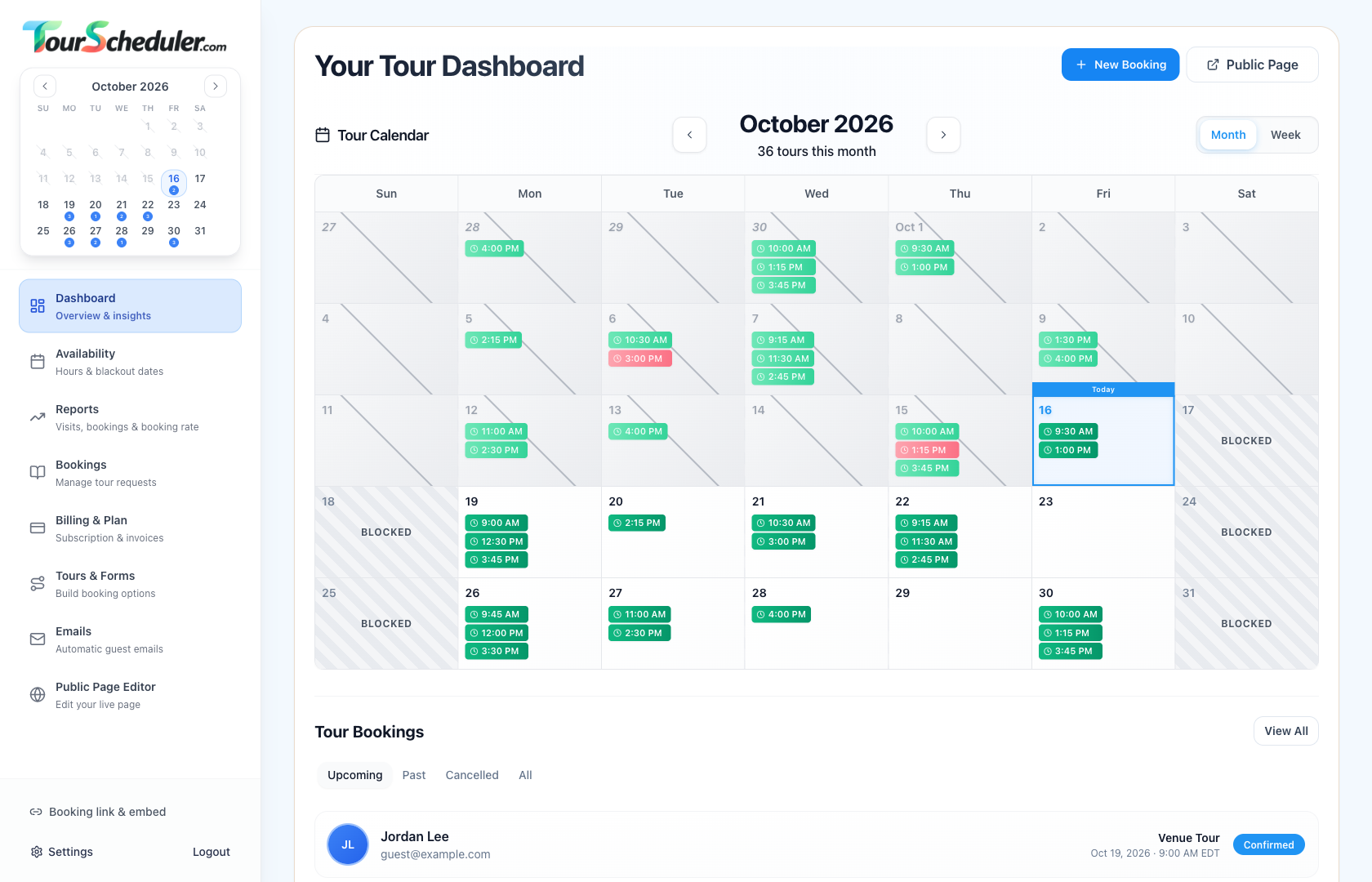
The TourScheduler venue dashboard, showing a full month of scheduled tours, blocked weekends, and upcoming bookings.
Your tour calendar and bookings, in one place. Select the image to enlarge.

Tour calendar

Manage every tour in one calendar.

See scheduled tours, available times, and blocked dates. Switch between month and week views to plan your schedule.

01 /

Set up your booking page

Add your logo, choose your tour length, and write the questions guests answer when booking.

02 /

Set your available times

Choose your weekly tour hours, leave time between visits, and block dates when you’re unavailable.

03 /

Let guests book online

Share your booking link or add the booking form to your website. Guests book a time, and TourScheduler emails their confirmation.

Online booking

Guests choose a time and book online.

Guests choose an available time, enter their details, and confirm their tour. Add your venue’s logo, colors, and booking questions.

  • Choose a date and time

    Guests see available tour times based on the schedule you set. Try the booking form here.

  • Collect details before the tour

    Ask for contact information and the details your team needs before a visit.

  • Review and confirm

    Guests review their details before booking. Confirmation emails include links to reschedule or cancel.

Interactive demo

Try booking a tour. Changes reset when you refresh. No emails are sent.

Willow House

Book a venue tour

Venue Tour

Step 1 of 3

Find a time to visit

Choose a highlighted day, then a time. This calendar is for your visit, not your wedding date.

What time works for you?

45-minute tour · Eastern Time

Choose a date to see tour times here.

Free tour · No payment required

Your tour is reserved after the final confirmation.

Scheduling tools for your venue.

Set your availability

Choose your weekly hours, block specific dates, and set time between tours.

Collect guest details

Ask custom questions when guests book. Keep their answers and contact details with each tour.

Send automatic emails

TourScheduler sends confirmations and reminders automatically. Guests can reschedule or cancel using the links in their emails.

Share your booking page

Send guests a booking link or add the booking form to your website.

Pricing

Free for 30 days.

Use every scheduling feature free for 30 days. Then choose monthly or annual billing. No credit card required to start.

Plus Monthly

After your free trial · billed monthly

$9.95per venue / month

All features included. Free for the first 30 days.

  • Booking pages with your venue’s logo and colors
  • Automatic confirmation and reminder emails
  • Custom questions and saved guest details
  • Tour calendars with available and blocked times
  • Booking history and tour reports
Start Your Free Trial
Save 17% vs monthly

Plus Annual

After your free trial · billed annually

$99per venue / year

$8.25/month equivalent, billed $99 annually.

  • Booking pages with your venue’s logo and colors
  • Automatic confirmation and reminder emails
  • Custom questions and saved guest details
  • Tour calendars with available and blocked times
  • Booking history and tour reports
Start Your Free Trial

Your 30-day free trial starts when you create your venue. You’re charged only if you subscribe, after your remaining trial ends. Subscriptions renew monthly or annually until you cancel. Cancel in Billing & plan before your next payment. Prices are in USD per venue. Any tax is shown at checkout.

Automated venue tour scheduling

Start scheduling tours automatically.

Set your available times. Share your booking page. Let guests book tours online, with confirmations and reminders sent automatically.

Start Your Free Trial

30 days free. No credit card required.